
With Durable Objects
To provide global uniqueness, only one version of each Durable Object can run at a time. This means that gradual deployments work slightly differently for Durable Objects.
When you create a new gradual deployment for a Worker with Durable Objects, each Durable Object is assigned a Worker version based on the percentages you configured in your deployment. This version will not change until you create a new deployment.
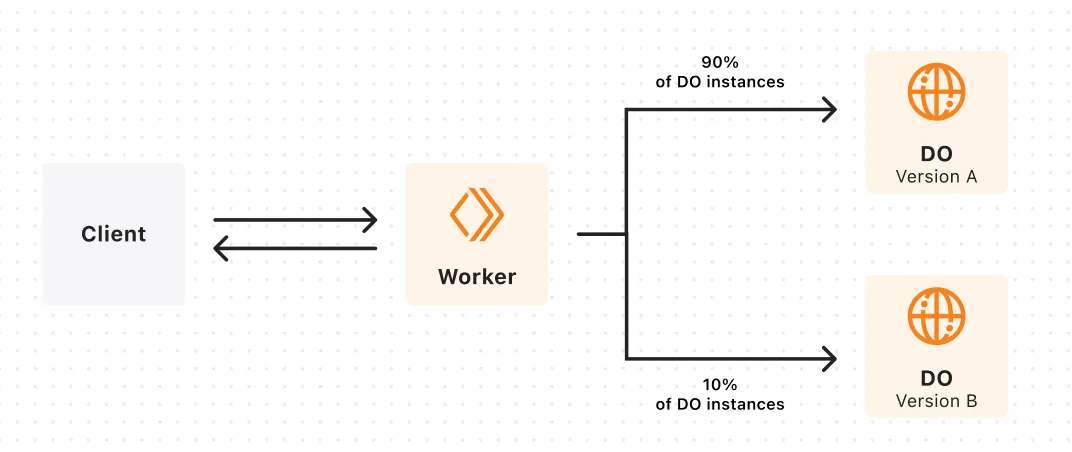
This example assumes that you have previously created three Durable Object instances with names "foo", "bar", and "baz".
Your Worker is currently on a version that we will call version "A" and you want to gradually deploy a new version "B" of your Worker.
Here is how the versions of your Durable Objects might change as you progress your gradual deployment:
| Deployment config | "foo" | "bar" | "baz" |
|---|---|---|---|
| Version A: 100% | A | A | A |
| Version B: 20% Version A: 80% | B | A | A |
| Version B: 50% Version A: 50% | B | B | A |
| Version B: 100% | B | B | B |
This is only an example, so the versions assigned to your Durable Objects may be different. However, the following is guaranteed:
- For a given deployment, requests to each Durable Object will always use the same Worker version.
- When you specify each version in the same order as the previous deployment and increase the percentage of a version, Durable Objects which were previously assigned that version will not be assigned a different version. In this example, Durable Object "foo" would never revert from version "B" to version "A".
- The Durable Object will only be reset when it is assigned a different version, so each Durable Object will only be reset once in this example.
Versions of Worker bundles that change Durable Object class lifecycle cannot be uploaded. This applies to both the declarative exports field and the legacy migrations array. This is because Durable Object lifecycle changes are atomic operations. Once a lifecycle change is deployed, rollbacks cannot take place to any version prior to the one that included the change.
Durable Object lifecycle changes can be deployed with the following command:
npx wrangler deployyarn wrangler deploypnpm wrangler deployTo limit the blast radius of these deployments, Durable Object lifecycle changes should be deployed independently of other code changes.
To understand why Durable Object lifecycle changes are atomic operations, consider the hypothetical example of gradually deploying a class deletion. If a delete were applied to 50% of Durable Object instances, then Workers requesting those Durable Object instances would fail because they would have been deleted.
To do this without producing errors, a version of the Worker which does not depend on any of the Durable Objects to be deleted would have to have already been rolled out. Then, you can deploy the class deletion without affecting any traffic and there is no reason to do so gradually.